Download and extract file Google Nexus USB driver on your computer and you will see some files like this
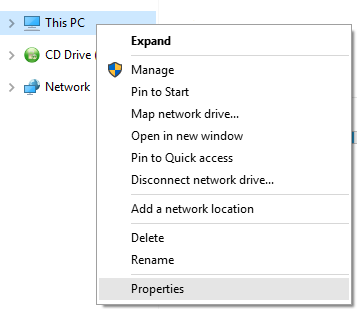
Then right-click on the icon This PC or My Computer, and select Properties
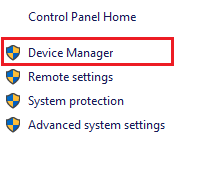
After that, select Device Manager
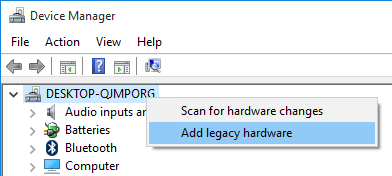
Once the device manager window appears, right click on the computer name and select Add legacy hardware
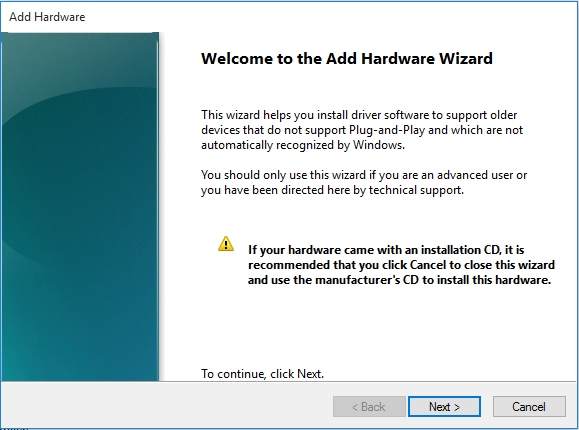
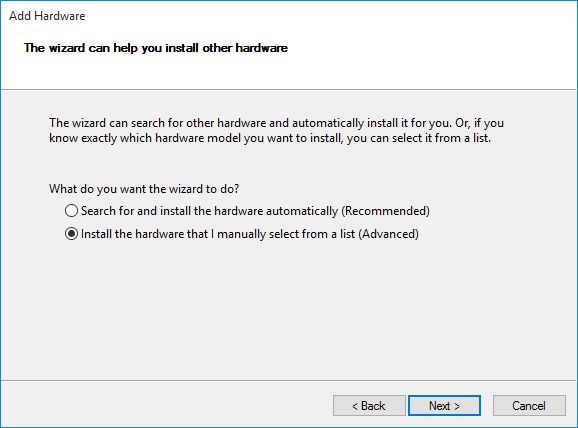
Now, click Next
Then select Install the hardware that I manually select from a list (Advanced), click Next
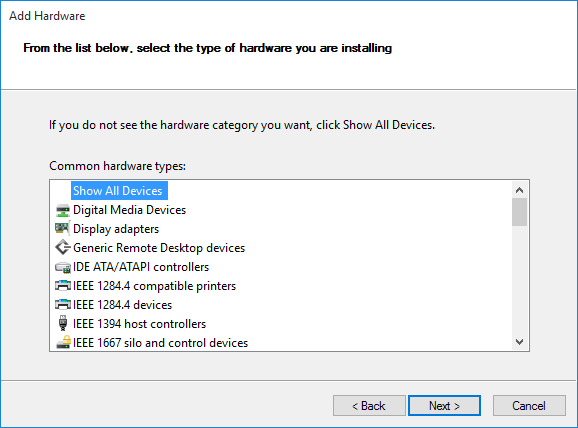
Click Next button
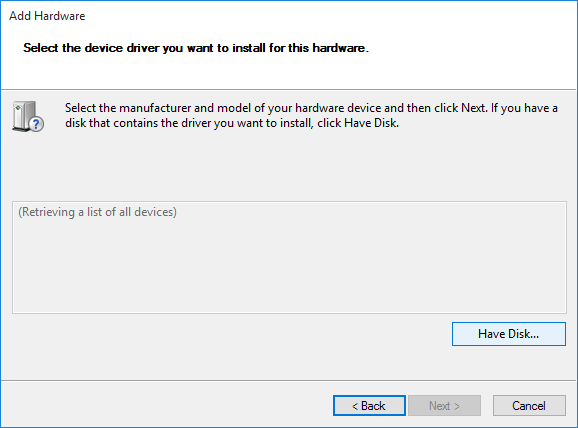
Click Have Disk
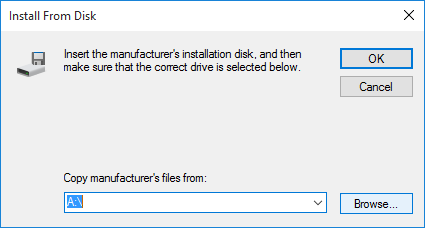
Click Browse button and navigate to file android_winusb.inf in the folder Google Nexus USB Driver
Click Open
Then click OK
On this window, select the Android ADB Interfaceand click Next
Click Next
Once the process starts running, will display options and select Install
After clicking Finish
then repeat the steps from the beginning and now you select Android Composite ADB Interfaceand alsoAndroid Composite ADB Interface
DONE!
Related Posts:
0 Response to "How To Install Google Nexus USB Driver (Manually)"
Posting Komentar
Thank you for reading the article in this post. We hope you can leave comments about this post, so that it will be an evaluation material for us to make a better article for the future.
Report if there is an inactive link by commenting, we will immediately make improvements to the link.



0 Response to "How To Install Google Nexus USB Driver (Manually)"
Posting Komentar
Thank you for reading the article in this post.
We hope you can leave comments about this post, so that it will be an evaluation material for us to make a better article for the future.
Report if there is an inactive link by commenting, we will immediately make improvements to the link.